


Telesim IPTV Player
4.6611.00 Reviews
App Specs
- Version
- 1.9.4
- Updated On
- License
- Free
- Downloads
- 100,000+
- Developer
- Finnci
- Categories
- Tools
- Platform
- Android
Screenshots
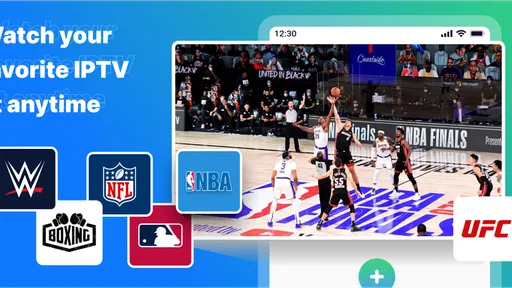
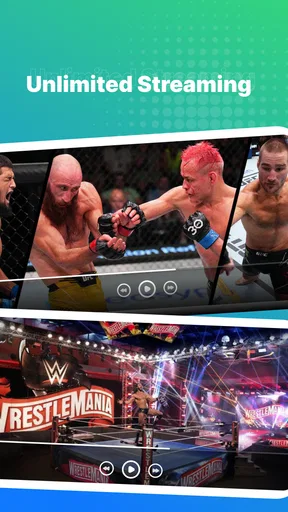
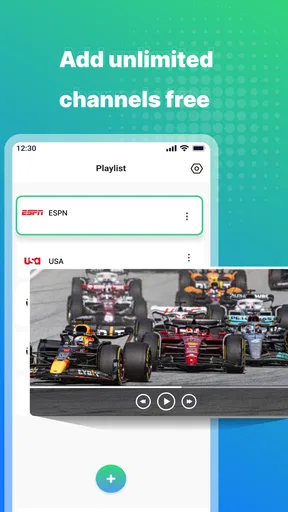
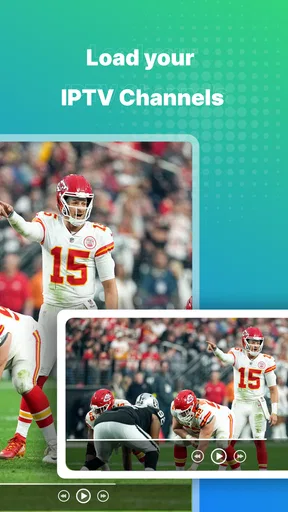
 Analysis by AppCompare
IPTV on a phone can be convenient, but the viewing experience depends on more than the player: your provider, playlist, connection and screen all matter. I see Telesim IPTV Player as a practical option for people who already have IPTV access and want to use it on an Android device, rather than as a source of channels in its own right. That distinction is important: the app is a tool for playing a provider’s content, so the quality of your service remains central.
When the connection becomes part of the experience
Watching live television is less forgiving than browsing a library of videos. A connection that seems fine for messages or web pages may still struggle when a stream needs to keep playing continuously. In my view, it is worth testing the channels you actually watch before relying on them for a match, a live event or a programme you do not want to miss. A quick trial at home can help you tell whether a problem comes from the player, the playlist or the network.
The distinction matters when you move between Wi-Fi and mobile data. A channel that starts promptly on a home network may take longer to settle on a weaker connection, and a stream can be interrupted when coverage changes. I would avoid treating a successful test in one room as a guarantee that playback will be equally reliable on a commute or in a crowded public place. For important viewing, a stable connection is a better starting point than hoping the app can compensate for one that keeps dropping.
How I would use it away from home
The strongest case for a mobile IPTV player is a familiar routine: you already have a provider and want to check a news channel while waiting, follow a live programme during a break, or watch at a relative’s home without relying on the television there. Those situations are more realistic than expecting a phone to replace every living-room viewing habit. A small screen is handy for a short catch-up, but it is not automatically the best way to watch a long film or an evening of television.
For a practical everyday setup, I would prepare the playlist while connected to dependable Wi-Fi, make sure the channels I use most are easy to find, and then test playback before leaving. This makes it easier to identify a playlist or sign-in issue at home instead of trying to solve it in a station or café. It also reduces the chance of spending a limited break troubleshooting when I only meant to watch a few minutes.
What to check when playback fails
If a channel will not load, I would not immediately assume the app itself is broken. IPTV playback relies on the provider’s stream and on the connection between the device and that stream. First, I would try another channel from the same playlist. If that works, the trouble may be limited to a particular stream; if several channels fail, I would check the connection and confirm that the playlist is still current with the provider.
Changing networks is a useful diagnostic, not a guaranteed fix. If playback works on Wi-Fi but not on mobile data, the difference can point toward coverage, network restrictions or the provider’s service rather than a general player fault. If neither network works, restarting the app and checking the playlist details are reasonable next steps. I would keep the provider’s setup information accessible, because a player cannot correct an expired or incorrectly entered playlist on its own.
Worth Reading Before You Choose

EA SPORTS FC Mobile 26 Is a Bigger Football Game, but It Takes Time

Flipboard Shows What News Apps Must Do Beyond the Feed

Switching to Android Auto Means Rethinking Your Driving Routine

Google Calendar Makes a Crowded Week Easier to Manage

Ludo King Makes the Most of the Minutes Between Plans

Baby Panda World Brings Quick Play to Modern Phones, but Its Game Library Feels Busy
Mobile data and viewing habits
Live video can use mobile data quickly, so I would be cautious about long sessions when I am away from Wi-Fi, especially if my plan has a limited allowance. The actual amount depends on the stream and its quality, so I would not assume that every channel consumes the same amount. If I am unsure, I would keep the first mobile-data test short and check my device’s data usage afterward rather than discovering the impact at the end of the month.
There is a trade-off between image quality and a connection that can keep up. A higher-resolution stream can look better on a larger display, but it may be less comfortable on unstable mobile coverage. When a provider offers streams at different qualities, I would choose the one that fits the current network and screen instead of automatically selecting the sharpest option. On a phone, a steady picture is often more useful than extra detail that comes with repeated pauses.
Getting Started with Telesim IPTV Player
Diving into the world of IPTV might sound a bit daunting at first, but trust me, Telesim IPTV Player makes it a breeze. The app is available on both Android and iOS platforms, and downloading it is as straightforward as pie. Once you’ve got it installed, you’re greeted with a sleek and intuitive interface that feels like it was designed just for you.
The first thing you’ll need to do is load your IPTV playlist. If you’re new to this, don’t worry. The app supports multiple formats like M3U and XSPF, making it compatible with most playlists out there. I found that adding a playlist is a quick process, and even those who aren’t tech-savvy will find it easy to get up and running.
Features That Stand Out
One of the features I absolutely love is the Electronic Program Guide (EPG) support. It’s like having a TV guide right at your fingertips. You can see what’s currently airing and what’s coming up next, so you’ll never miss out on your favorite shows. The timeline view in the EPG is particularly handy, allowing you to plan your viewing schedule with ease.
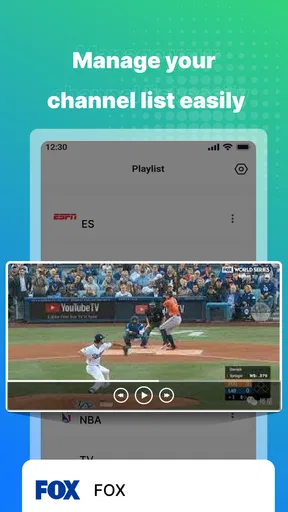
Another standout feature is the ability to organize your channels. You can create custom groups and categories, which is perfect for keeping everything neat and tidy. I set up groups for sports, news, and entertainment, and it made channel surfing a lot more enjoyable.
The app also includes a powerful video player with support for multiple resolutions and formats. Whether you’re watching in HD or just standard definition, it ensures smooth playback with minimal buffering. It even supports various aspect ratios, so your content always looks just right.
Performance and User Experience
Performance-wise, this app is a winner. It’s responsive and fast, with channels loading up in seconds. I tested it on both Wi-Fi and mobile data, and the experience was seamless on both. The app’s developers have done a fantastic job optimizing it for different network conditions.
From a user experience perspective, I appreciate the clean and uncluttered design. The dark theme option is easy on the eyes, especially during late-night viewing sessions. Navigating through the app is a smooth experience, with everything you need just a tap away.
Choosing a player that fits your setup
Compared with watching through a provider’s own app, a standalone IPTV player can be useful when you want to bring a playlist into a player built around channel browsing and an EPG. The practical advantage is less about getting new content and more about how you access the channels you already receive. If your provider’s app is simple, reliable and has the guide you need, switching may not improve anything. I would choose this kind of player when its playlist workflow and channel organization suit me better, not just because it is a separate app.
It also differs from ordinary streaming services, which generally present a fixed catalogue through their own accounts and interfaces. An IPTV player depends on a playlist supplied by the user’s provider, so setup and content availability are tied to that arrangement. That flexibility is useful for an existing IPTV customer, but it makes the experience less self-contained than opening a mainstream video service. Someone looking for a ready-made catalogue without playlist setup is likely better served by a conventional streaming app.
Small setup choices that make a difference
EPG information is most useful when it lines up with the channels in the playlist. If a guide appears incomplete or does not match a channel, I would check the provider’s playlist and guide details before assuming the timeline itself is at fault. Likewise, channel groups work best when I keep them focused: a short list for regular viewing is faster to scan than a long collection of categories I rarely use. These are modest setup choices, but they can make a phone much less fiddly when time is short.
I would also treat playlist maintenance as part of using IPTV. If channels suddenly disappear or a guide stops matching, checking whether the provider has issued updated details can be more productive than repeatedly reinstalling the player. Keeping a copy of the correct setup information somewhere convenient can help when moving to another device or correcting an entry. The player organizes access; it cannot make a provider’s stream or guide current by itself.
Who will get the most from it
This is most appealing to someone who already knows what IPTV is, has a provider and wants a straightforward way to view that service on an Android phone or tablet. The channel groups and guide are especially helpful for people whose playlists are large enough to make manual scrolling annoying. It can also suit viewers who want to check live television in short sessions rather than settle in front of a television for hours.
I would be more hesitant to recommend it to someone who expects the app to include channels automatically, or who wants a polished, ready-to-watch catalogue without configuring a playlist. It is also not the best fit for someone with unreliable connectivity who needs uninterrupted live viewing. In that situation, a downloaded video from a service that supports downloads, or a television connected to a dependable network, is a more sensible choice than relying on a live stream over a weak signal.
There is a useful middle ground for households, too. A phone can be a convenient personal screen when the main television is occupied, but it is worth checking the playlist and connection on the specific device rather than assuming the setup will transfer perfectly from another screen. Screen size, network conditions and the way the provider supplies its streams all influence comfort. I would use it as a flexible extra viewing option, not promise myself it will behave exactly like a cable box in every room.
What the app costs and what to expect
The app is free to install, while optional in-app purchases are listed from $2.49 to $259.99 per item. I would check the purchase details in the app before paying, and make sure I understand what an optional purchase adds to my own setup. That is particularly important here because paying for the player should not be confused with paying for an IPTV provider or gaining access to a particular channel lineup.
Finnci is the developer, and the app is listed as a Tools app with a Teen content rating. It has a 4.6 average from around 4.9 thousand ratings and has passed 100 thousand installs. It was released on April 6, 2023, and version 1.8.8 requires Android 5.0 or later. Those details make it easy to judge whether it fits an older Android device, while the rating gives a broad sense of how other users have responded; neither removes the need to check whether your own provider’s playlist works as expected.
Final Thoughts
In the increasingly digital age, having access to your favorite TV content wherever you are is a game-changer. This player delivers on this promise with a robust set of features, excellent performance, and an intuitive user interface. It's not just an app; it's your personal TV companion.
Whether you're a seasoned IPTV user or someone just looking to catch up on the latest episodes while on the move, it is worth checking out. Give it a spin and transform the way you watch TV. And hey, if you’re anything like me, you’ll wonder how you ever managed without it!
My connectivity verdict
My overall view is positive when the basics are in place: a valid playlist, a provider that delivers the channels I want, and a network that can handle live video. The guide and channel organization make the experience feel more intentional than simply opening streams one by one, while mobile access is useful for short viewing windows. The main limitation is also clear: a player cannot guarantee a stable stream when the network or provider is the weak link.
For someone deciding whether to try it, I would start with a small, deliberate test. Add the playlist, check a few channels and their guide details, then try one brief session on the network you expect to use most. If that works smoothly, the app can be a handy way to carry an existing TV setup onto an Android device. If it does not, investigate the playlist and connection before paying for anything or assuming that another player will solve the underlying issue.
Pros
- User-friendly interface with easy navigation.
- Supports multiple video formats seamlessly.
- Offers live TV streaming without buffering.
- Customizable channel list for quick access.
- Regular updates enhance app performance.
Cons
- Limited free version features.
- No parental control options available.
- Occasional ads in the free version.
- Requires stable internet for optimal use.
- No offline viewing option for content.
FAQs for Telesim IPTV Player
What is Telesim IPTV Player?
Telesim IPTV Player is a versatile application designed to stream live TV channels, movies, and shows directly to your Android or iOS device. It supports various IPTV playlists, allowing users to enjoy a wide range of content from different regions and genres. The app offers a user-friendly interface for easy navigation and content discovery.
Is Telesim IPTV Player free to use?
Telesim IPTV Player is available as a free download, but it may offer in-app purchases or require subscriptions for accessing premium features or content. Users can enjoy basic streaming services without any cost, but to unlock additional functionalities or access exclusive channels, a purchase may be necessary.
What features does Telesim IPTV Player offer?
Telesim IPTV Player comes with a host of features, including support for multiple IPTV playlists, EPG (Electronic Program Guide) integration, and video-on-demand options. It also supports various video formats and offers customizable settings for a personalized viewing experience. Users can enjoy features like parental controls and password protection for secure usage.
Is Telesim IPTV Player easy to set up?
Yes, Telesim IPTV Player is designed to be user-friendly and straightforward to set up. After downloading the app, users can quickly add their IPTV playlists via URL or file upload. The intuitive interface guides users through the setup process, making it accessible even for those with limited technical knowledge.
What are the system requirements for Telesim IPTV Player?
Telesim IPTV Player requires Android 5.0 or later, and iOS 11.0 or later, to function properly. It is optimized for both smartphones and tablets, ensuring a seamless experience across devices. A stable internet connection is essential for streaming content without interruptions, and higher bandwidth may be needed for HD streams.


